KAKE First Alert Weather
- 3.9
- Rating
- 100.00K
- Installs
- Free
- Price

 Analysis by App-foxy
Weather apps are easy to underestimate until you need one at the exact right moment. I looked at KAKE First Alert Weather as a practical daily tool rather than just another forecast icon, paying particular attention to how quickly it feels ready, how it behaves when I check it repeatedly, and whether it remains useful when my phone is older or storage is limited. It is a free weather app from Lockwood Broadcast Group, aimed at people who want weather information for the KAKE viewing region.
My overall impression is that this is a focused local-weather companion. It does not need to be treated like a large all-purpose portal with news, shopping, travel planning, and entertainment built around the forecast. Its appeal is narrower: open it when you want to understand what the weather is doing in the area covered by KAKE and make a simple decision about leaving home, driving, working outside, or changing plans.
How KAKE First Alert Weather feels in everyday use
I find that the app works best when I treat it as a quick local reference, not a weather control center. The next section looks at how a first-time user can get oriented without overcomplicating the process, including what to check before relying on it for a real plan.
You May Also Like

 Blood Strike: 2.5 Anniversary
Blood Strike’s Loadouts Turn Every Drop Into a Tactical Gamble
A close look at Blood Strike’s custom loadouts: how fast access to signature weapons reshapes its battle royale rhythm, rewards preparation, and narrows the gap between fights.

 Pandora - Music & Podcasts
Pandora’s Music Is Easy to Start, but Harder to Recover
Pandora’s strength is its low-effort path from a seed to a station. Its weak spot is how much confidence it asks you to place in connection, setup, and quiet recovery.

 8 Ball Pool
 Is Built on Rivalries, Rematches, and Routine
A close look at the rivalries, rematches, shared routines, and unanswered safety questions that turn a quick pool match into a persistent mobile community.

 Samsung Music
’s Quiet Strength Is Playing What You Already Own
Its reach comes less from spectacle than from dependable access to a personal library. That simplicity is both the app’s strongest retention engine and its ceiling.

 AccuWeather: Weather Radar
AccuWeather Review: A Quick, Clear Forecast for Everyday Decisions
For everyday plans, the best forecast is the one you can understand quickly. AccuWeather makes rain timing, radar, and local conditions easy to act on, with a few trade-offs.

 Hill Climb Racing
Why Hill Climb Racing Still Turns Crashes Into One More Run
A tiny car, a bumpy hill and one more upgrade: Hill Climb Racing keeps resurfacing because its simple chaos makes every near-miss feel personal.
More From Our News Desk



A quick check is where the app makes the most sense
The strongest use case is the short, repeated check. I can imagine opening it before breakfast, looking again before commuting, and returning to it before an afternoon appointment. That rhythm suits a regional weather app because weather decisions are often less about studying a long forecast and more about answering one immediate question: do I need another layer, extra travel time, or a different plan?
The app’s store summary centers on the latest weather for its viewing region, and that local focus matters. A general phone weather widget may be convenient, but it can feel detached from the way a local broadcaster presents conditions to its audience. KAKE First Alert Weather is better suited to someone who already follows KAKE and wants weather information in the same local context.
In my experience, the perceived speed of a weather app comes from more than the time it takes to open. It also depends on whether the information is easy to interpret once the screen appears. A clean, purpose-built weather tool can feel faster than a busier alternative even when both technically load quickly. For a morning routine, that reduced decision-making is valuable.
A realistic example would be preparing for a school run on a day when the temperature feels manageable at home but the afternoon may be different. I would check the app before leaving, note the broader trend rather than relying only on the current condition, and check again before heading back. That second look can be more useful than trying to remember the morning forecast.
What happens during repeated or heavier checks
Weather apps often receive their heaviest attention when conditions are changing. On a calm day, one glance may be enough. During a fast-moving weather situation, I would expect to open KAKE First Alert Weather more frequently and spend longer comparing current information with what I saw earlier. That is the moment when an app’s stability and clarity matter more than its novelty.
I would use it as a decision aid, not as permission to ignore common sense. If I were planning a longer drive, an outdoor job, or a family event, I would check the app close to departure and again before committing. The useful habit is to treat each check as a fresh snapshot, especially when the sky and the forecast appear to be changing in different directions.
This repeated-check workflow also reveals a trade-off. A local weather app can be more relevant than a generic forecast service for the region it serves, but it is not automatically the best single tool for every location. If I were traveling far outside the KAKE viewing area, I would want to compare it with a broader weather service designed for multiple regions. Its local identity is a strength when I am in the intended area and a reason to look elsewhere when I am not.
For heavy use, I would keep the app available but avoid treating it as a background replacement for every weather source. Checking it several times during a changing day is sensible. Leaving several weather apps running and constantly comparing them can create confusion rather than confidence, particularly when their update timing differs.
Stability and recovering from an interrupted check
A weather app earns trust through ordinary reliability: opening when needed, presenting information without unnecessary friction, and allowing me to return after an interruption without losing the purpose of the visit. KAKE First Alert Weather is most valuable when it supports that simple loop. I open it, understand the local situation, act on it, and close it.
Phone use is rarely uninterrupted. A call may arrive while I am checking the forecast, a navigation app may take over, or I may lock the screen while getting ready to leave. In those situations, I would judge the app by how easily I can resume the check rather than expecting a complicated session to remain active. A focused weather app has an advantage here because the task itself is short and easy to restart.
I would still recommend a practical recovery habit: if the information matters for a safety-sensitive decision, reopen the app rather than trusting an old screen left in memory. This is especially sensible after the phone has been offline, after a long period of inactivity, or when conditions are changing quickly. The app can support awareness, but the user remains responsible for checking current conditions at the moment they matter.
The current release is version 6.1.403, which gives users a clear version reference when discussing compatibility or troubleshooting. I would not confuse a version number with a promise of flawless performance on every phone, though. Android devices vary widely in age, software configuration, available storage, and background activity. The sensible test is whether it opens consistently on your own device and fits naturally into your routine.
Resource demands and older-device considerations
Because this is a weather app rather than a game or a media-heavy service, I would approach it expecting short sessions instead of continuous use. That makes it a reasonable candidate for a phone where I want to keep resource use under control. I would open it when needed, read the relevant information, and close it rather than leaving every app active throughout the day.
Older devices can still behave differently from newer ones. A phone with limited free storage, an overloaded background process list, or an aging operating system may make any app feel slower. KAKE First Alert Weather requires Android 9 or later, so the key compatibility question is straightforward: if the device runs an older Android release, it is outside the stated minimum and should not be the first choice for this app.
That requirement is helpful for narrowing expectations. Owners of supported phones can assess the app on actual responsiveness instead of guessing from the device’s age alone. Someone with a very old handset should first check the Android version, then consider whether a lighter browser-based weather option would be more practical if the phone cannot meet the requirement.
I also would not install it on every device in the household automatically. It makes the most sense on the phone used by the person who wants KAKE’s regional weather perspective. On a tablet kept at home, it could be useful for shared planning, but the benefit depends on how often that device is available when plans change. The app’s value comes from timely access, not from simply occupying another screen.
Who will benefit most from the local approach?
I would recommend KAKE First Alert Weather to people who live within or regularly follow the KAKE viewing region and prefer a local broadcaster’s weather presentation. It is also a sensible fit for users who want a free, age-appropriate weather tool without turning the experience into a large information dashboard. The Everyone content rating makes it suitable for general household use.
The app has reached over one hundred thousand installs and holds a 3.9 average from around five hundred ratings, with roughly two hundred written reviews. Those figures suggest a real user base, while the middling average also tells me to keep expectations balanced. I would read it as evidence that the app is useful to many people but not universally ideal, rather than as a reason to assume it will suit every phone or every weather habit.
The developer, Lockwood Broadcast Group, gives the app a clear connection to the KAKE brand. That connection may be the deciding factor for a viewer who already trusts the station’s regional coverage. If I had no connection to that viewing region, the branding would be less meaningful and I would probably choose a service with wider geographic emphasis.
When another weather option is a better fit
The usual alternative is the weather service already built into a phone. That option often wins on convenience because it may be one tap away, already connected to the device’s location settings, and familiar to everyone in the household. I would choose it when I need a quick glance while traveling or when I want a broad, location-flexible forecast without thinking about a particular broadcaster.
KAKE First Alert Weather becomes more attractive when local relevance matters more than universal convenience. Someone planning a day around the KAKE region may prefer its regional identity, while a frequent traveler may find a larger multi-location service easier to manage. Neither choice is automatically superior; the right one depends on whether local context or geographic flexibility is the priority.
I would also skip this app if my main goal were long-term climate tracking, detailed trip planning, or managing weather information across many distant places. Its role is better understood as a local, current-conditions companion. Choosing it for tasks outside that role could lead to disappointment, even if it performs well for everyday regional checks.
Small habits that make the app more useful
One useful habit is to check before the transition between parts of the day, not only when leaving home. Morning conditions can be comfortable while the return journey calls for different clothing or timing. A second check before heading back gives the app a practical role in planning instead of limiting it to a morning ritual.
Another is to use it alongside the decision you are making. If I am deciding whether to carry an umbrella, I need a concise current view. If I am deciding whether to schedule outdoor work, I should look at the broader forecast and allow room for conditions to change. The app is more helpful when I match the depth of the check to the consequence of the decision.
A third is to avoid judging the entire service from one slow moment caused by the phone itself. Before deciding that the app is unreliable, I would try reopening it after closing other demanding apps, confirm that the device meets Android 9 or later, and repeat the check under normal conditions. This does not guarantee a fix, but it separates an app problem from a device problem more sensibly.
Finally, I would keep a second source in mind for unusual circumstances. That is not a criticism of KAKE First Alert Weather; it is a sensible precaution whenever weather affects a long drive, outdoor safety, or a rapidly changing plan. The app can be the first place I look while a broader service provides useful context when I leave its intended region.
My performance verdict
After looking at the app through the lens of speed, repeated use, recovery, and device limits, I see KAKE First Alert Weather as a focused tool rather than a universal weather replacement. Its best quality is the straightforward relationship between the app and the KAKE viewing region. That makes it easy to justify for local users who want a familiar regional source and a free way to check the weather during the day.
The main limitation is equally clear: its usefulness depends on location and expectations. Travelers, users who need many places at once, and people seeking advanced planning tools may be happier with a broader alternative. Owners of devices below Android 9 should also look for another option instead of assuming this one will fit.
For a supported Android phone, I would give it a fair trial during a normal week rather than deciding after a single opening. Use it before leaving, during a changing afternoon, and after an interruption. If those short checks feel dependable and the local focus matches your needs, the app earns its place. My recommendation is positive for regional everyday weather checks, but deliberately limited: choose it for local usefulness, not because one weather app can cover every situation.
FAQs for KAKE First Alert Weather
01What features does the KAKE First Alert Weather app offer?
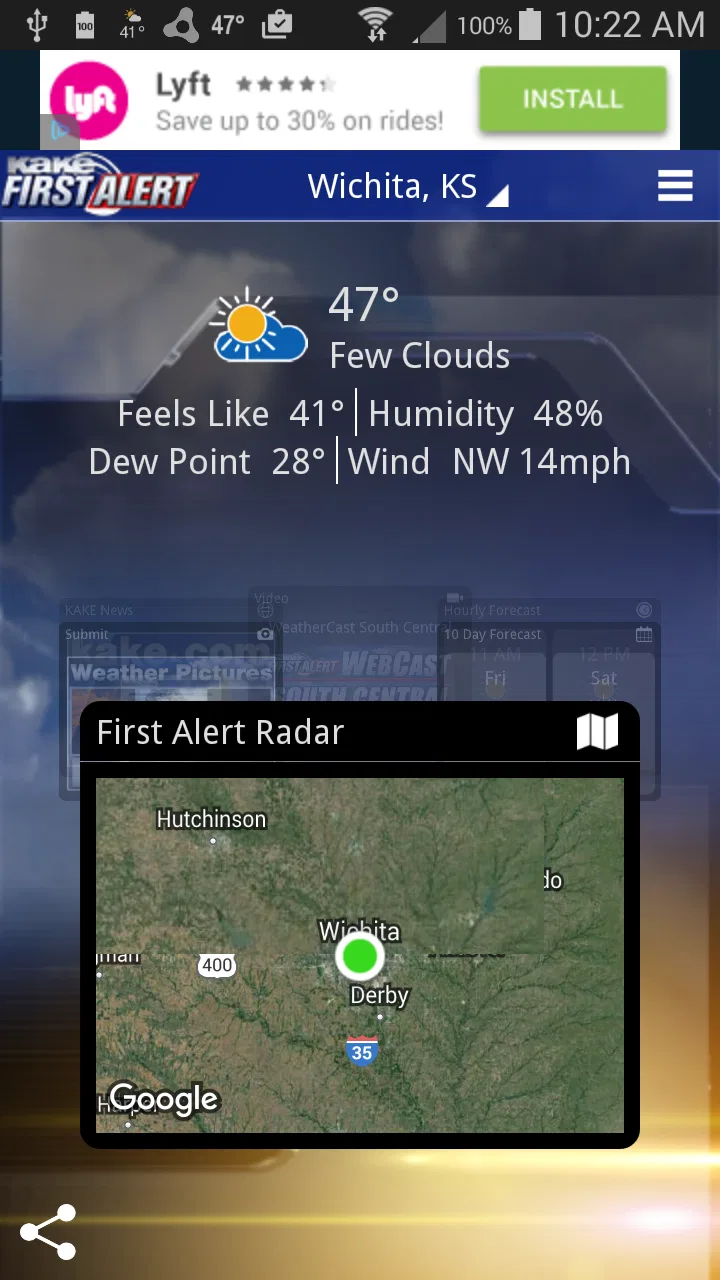
The KAKE First Alert Weather app provides real-time weather updates, including live radar, weather alerts, and detailed forecasts. Users can access hourly and 7-day forecasts tailored to their location, and the app also offers interactive radar maps for tracking severe weather conditions. Customizable alerts ensure you receive notifications about significant weather changes.
02Is the KAKE First Alert Weather app free to use?
Yes, the KAKE First Alert Weather app is free to download and use on both Android and iOS devices. While the app provides comprehensive weather information without cost, it may contain ads. There are no in-app purchases required to access its core features, ensuring a wide range of users can benefit from its offerings.
03How accurate is the weather information provided by the app?
The KAKE First Alert Weather app is known for its accuracy, as it sources data from reliable meteorological agencies and utilizes advanced technology to deliver precise forecasts. The app's team of experienced meteorologists further enhances its reliability by continuously monitoring changing weather patterns and updating information accordingly.
04Can I customize weather alerts in the KAKE First Alert Weather app?
Yes, the app allows you to customize weather alerts based on your preferences. You can select which types of weather alerts you want to receive, such as severe storm warnings, rain notifications, or temperature changes. This customization ensures that you are only alerted to weather conditions that are relevant to your needs.
05Does the KAKE First Alert Weather app require an internet connection?
Yes, the app requires an internet connection to provide real-time updates and access to live radar images. While some basic features may be available offline, such as previously viewed forecasts, full functionality—including live updates and alerts—necessitates a stable internet connection, either through Wi-Fi or mobile data.
Pros
- Accurate and timely weather alerts.
- User-friendly interface with easy navigation.
- Customizable alerts for severe weather.
- Detailed radar maps with live updates.
- Comprehensive forecasts up to 10 days.
Cons
- Ads can be intrusive at times.
- Occasional lag in loading data.
- Limited widget customization options.
- Requires internet for full functionality.
- Some features locked behind a paywall.

KAKE First Alert Weather
Gallery